Fans First Tickets is the official Banana Ball app for buying, accessing, managing, transferring and listing eligible tickets. Use the app-store listing published for Savannah Bananas/Fans First Entertainment, not an unrelated website with a similar name. Sign in with the email attached to your order, lottery account or accepted transfer; then check that the event shows the correct teams, date and venue. The app can display mobile tickets, browse the official Marketplace, transfer tickets to friends and scan admission on game day. Marketplace inventory is not guaranteed, and an empty event does not necessarily mean your account is broken. If login or verification fails, use the reset option inside the official app, preserve your order email and avoid anyone asking for your password or one-time code.
Make sure you have the correct Fans First app
The name creates genuine search confusion. The Banana Ball product is called Fans First Tickets and is listed in the Apple App Store by Fans First Entertainment, LLC and in Google Play with Savannah Bananas branding. Its description specifically mentions Banana Ball ticket access, transfers, Marketplace listings, upcoming-game browsing and gate scanning.
A Canadian sports resale business also uses the name FansFirst at fansfirst.ca. That company describes itself as a Canadian secondary marketplace and is not the Banana Ball ticket account. Do not reuse your Banana Ball password on a similarly named service. The safest entry points are an official Banana Ball email, the official team ticket page, or the verified Apple/Google app-store listing.
Before signing in, check:
- The app title is Fans First Tickets.
- The listing describes Banana Ball ticket functions.
- The publisher or branding connects to Savannah Bananas/Fans First Entertainment.
- You did not arrive through a sponsored ad with a misspelled hostname.
- The app request makes sense; a ticket app never needs your email password.
Create an account or sign in
Use the same email address associated with the original purchase, lottery registration or ticket transfer. Account matching matters: a valid order can appear ?missing? when the buyer signs in with a work email, an Apple private-relay address or a second personal address instead of the address used at checkout.
- Open the official Fans First Tickets app.
- Select sign in, or create an account if the email has never been activated.
- Complete the official email or phone verification shown in the app.
- Open Tickets and compare the event with your confirmation.
- If nothing appears, search your inbox for the order or transfer email and confirm the exact recipient address.
Reset a forgotten password safely
Use the password-reset control on the official login screen. Open the reset message only after you requested it, inspect the sender and domain, and create a unique password. A legitimate support representative does not need the password itself or a one-time verification code. Do not publish screenshots that expose your email, order number, transfer link or barcode.
Handle verification or maintenance problems
During research on July 29, 2026, the official registration login page displayed a maintenance response. That does not establish a permanent outage, but it demonstrates why an error should not push you into an unofficial login page. Try the current app, update it, switch between reliable Wi-Fi and mobile data, and retry later if the service confirms maintenance.
If a purchase window or game is time-sensitive, save the error, time, account email and order number, then contact the official ticket team through the app or organization site. Do not solve a CAPTCHA or traffic error by giving a stranger remote access to your device.
Treat the ticket account like a payment account. Use a password that is not shared with email, banking or social media, and keep the phone's operating system current. If the app offers device or account verification, finish it before a high-demand purchase window. Review unexpected password-reset and transfer messages by opening the app yourself; do not approve an action merely because a notification uses the correct event name. If you believe someone accessed the account, change the password through the official channel, secure the connected email account, document any unfamiliar transfer or listing, and contact the ticket team promptly.
Find and access your Banana Ball tickets
The app listing says tickets update in real time. Once signed in, open the Tickets area and inspect each event rather than assuming the first card is correct. A 2026 Banana Ball event can feature any two of six BBCL teams. The Savannah Bananas are the flagship, but they do not appear in every game.
Confirm these fields against the current Banana Ball schedule:
- Both team names
- Event date and displayed start time
- Venue, city and state
- Ticket quantity
- Section, row, seat or general-admission/standing-room description
- Current status, including any transfer or listing state
A purchase email alone is useful evidence, but the live ticket in the account is the record you need for entry. Barcode timing and display can vary. Follow the app's current instruction rather than relying on an old screenshot, printed image or a friend's copy.
Buy through the official Fans First Marketplace
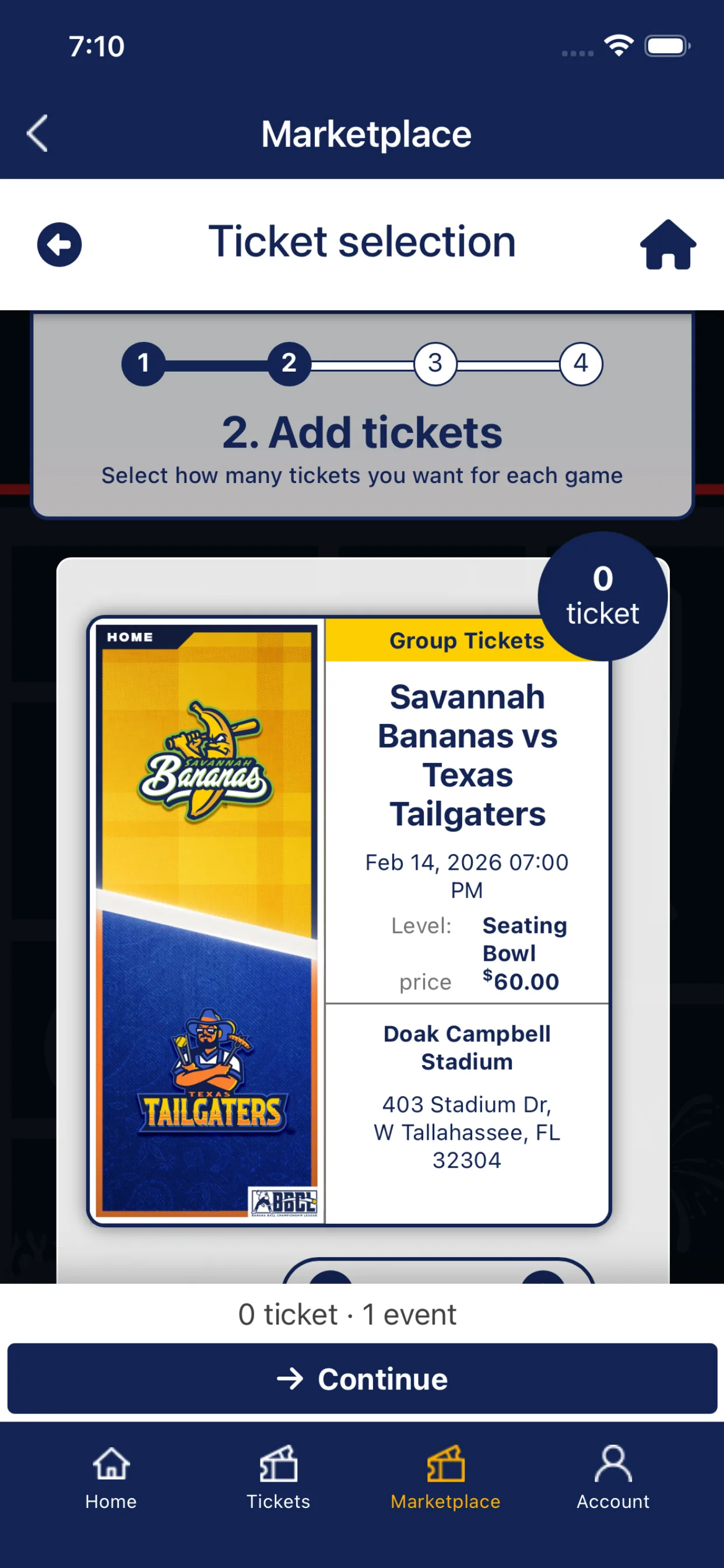
The Marketplace is the official place where eligible ticket holders can return scarce inventory to other fans. The app lets buyers browse available tickets for upcoming games. A first-party Banana Ball Marketplace campaign described verified holders listing tickets at face value with zero markups and zero fees. Review the terms shown for your current event because a test or earlier communication does not replace today's checkout details.
To shop efficiently:
- Choose the exact game, not just a city search result.
- Verify both teams against the schedule and relevant pages such as the Party Animals page.
- Review quantity and seat description before checkout.
- Read the displayed price and current purchase-limit terms.
- Complete payment inside Fans First and confirm that the order appears in your account.
Marketplace supply comes from other holders. Some events may show no listings, a notification option, or inventory that disappears during checkout. Those outcomes do not prove the app is fake or broken. Another buyer may have completed the order, the event may not have eligible listings, or the Marketplace may not be active for that event at that moment.
Do not pay somebody on Facebook, Reddit or a text thread because they claim they can ?unlock? Marketplace tickets. An official Marketplace purchase creates an order inside your account. If inventory is unavailable, use the tour cities tool to consider another stop rather than abandoning platform protection.
Before pressing the final purchase button, also check whether the listing is admission, parking, hospitality or another add-on. Confirm the displayed quantity and whether seats are together. For a family or accessibility need, read the section description and the host venue's guidance rather than assuming the Marketplace card answers every question. Save the confirmation only after the order appears, and avoid repeated payment attempts when a checkout page stalls; first inspect the account and card activity so a temporary error does not become a duplicate order.
Transfer tickets to friends and family
Transfer and sale are different actions. Transfer is appropriate when you already know the recipient and are not using the Marketplace to collect payment. Sale makes eligible tickets available to marketplace buyers and may require payout setup.
For a transfer, select only the ticket or tickets intended for the recipient. Enter the recipient's email carefully; a typo can send the invitation to the wrong account. Ask the recipient to open the official invitation, create or sign in to the matching account and accept. Then inspect your own app to see whether the status changed.
Do not assume that forwarding an order email transfers ownership. Do not send a barcode screenshot as a substitute. If you are traveling as a group, decide whether one phone will hold every ticket or whether companions should accept transfers before reaching the venue. A recipient having the official ticket in their account reduces confusion if the group arrives separately.
Get the app ready for game day
Do this at home or at the hotel, not for the first time at the gate:
- Install the latest app version from the official store.
- Sign in and open the exact event.
- Verify that no ticket remains listed for sale or pending transfer if you plan to use it.
- Check the current matchup on Banana Ball games today.
- Review parking, gate, bag and accessibility information in the venue guide and on the host's official page.
- Charge the phone and bring a portable battery if the day includes long pregame activities.
The app advertises quick gate scanning and real-time updates. That means the live app record is more important than a static image. Mobile reception can become congested around a full stadium, so open and check the account before entering the crowd while still following any instruction that requires the live barcode to refresh.
Common Fans First problems and what to do
| Problem | First checks | Next action |
|---|---|---|
| No tickets in account | Email used at checkout or transfer; acceptance status | Sign into the matching account and contact official support with order number |
| Password or verification fails | Official app, network, app version and reset email | Retry official reset; document maintenance/errors |
| Marketplace is empty | Exact game, filters and event availability | Check later or consider another official event |
| Wrong teams shown | Order confirmation and current schedule | Do not buy or transfer until the matchup is understood |
| Barcode not displayed | Event timing, app update and ticket status | Follow in-app instruction; contact support rather than use a copied code |
Provide support with useful evidence: account email, order number, event, device/app version, exact error and time. Hide payment details and barcodes in any screenshot. App-store reviews can reveal that other fans experienced setup problems, but another user's workaround is not an official instruction.
Fans First Tickets FAQ
Is Fans First Tickets legitimate for Banana Ball?
Yes, when you use the Banana Ball-specific app published by Fans First Entertainment/Savannah Bananas or follow an official organization link. Similar names exist, so verify the publisher and branding.
Is the app required to buy a ticket?
The current product supports browsing and buying, but availability and purchase links can originate from official event communications. For access and management, the app is the clearest central tool. Follow the current instruction shown for your order.
Why does the Marketplace show no tickets?
Returned inventory is not guaranteed. The event may have no active listings, a listing may have sold, or Marketplace access may not be active for that game at that time.
Can I enter with a ticket screenshot?
Do not depend on one. Use the live ticket in the official account and follow venue/app instructions. Screenshots can be outdated, copied or incompatible with a changing barcode.
Can I use a different email?
Ticket visibility depends on the email tied to the order or transfer. If a transfer is supported, send it deliberately to the correct second account. Do not assume signing in with any email will discover the original purchase.
Where is the Banana Ball ticket login?
Use the official Fans First Tickets app or an official Banana Ball ticket link. If a web login is under maintenance, do not switch to a look-alike service; retry the official channel and contact the ticket team when needed.
Comments
Comments are reviewed before publication. Spam, personal information and abusive content are not published.
Loading comments…